


Digital Home Thoughts - News & Reviews for the Digital Home

Be sure to register in our forums and post your comments - we want to hear from you!


Zune Thoughts

Loading feed...

Apple Thoughts

Loading feed...

Laptop Thoughts

Loading feed...


All posts tagged "raw"


Monday, November 1, 2010

Six Reasons Why Adobe Lightroom 3 Should Be in Your Digital Toolkit

Posted by Jason Dunn in "Digital Home Software" @ 07:00 AM
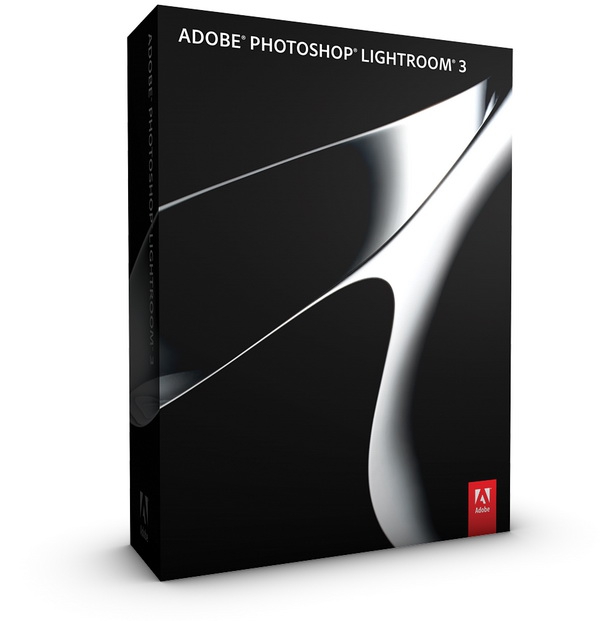
Back in 2009, I reviewed Lightroom 2 - and gave it a fairly glowing review. I spent a fair bit of time evaluating different raw process solutions back then, and Lightroom 2 was the best one out there. A year and a bit later, Adobe has released version 3 of this software tool and it's only gotten better. All of the basics are still the same, so rather than repeating what I've already covered in my review of v2, I thought I'd cover off some of the things that I like the most about Lightroom 3 ($285.99 USD full version, affiliate). Here they are. Read more...

Tuesday, December 22, 2009

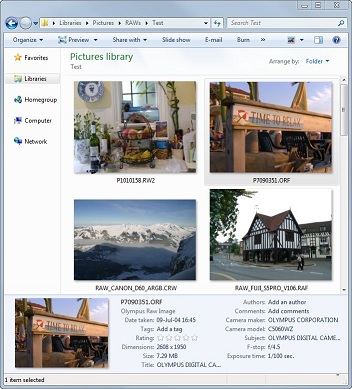
FastPictureViewer Offer Free RAW Codec Pack

Posted by Andy Dixon in "Digital Home Software" @ 07:30 AM

http://www.fastpictureviewer.com/codecs/

"Windows Vista introduced a modern and extensible imaging framework called Windows Imaging Component (WIC). The operating system comes with built-in support for several common image formats including jpeg, bmp, png, gif, tiff and HD Photo. WIC makes it possible for 3rd parties to add first-class support for image formats to Windows, complete with thumbnails in Explorer, preview and slideshow support in Photo Gallery / Photo Viewer and metadata search integration."

If you take your photos in RAW format to give you more control over the final image once you get home, then you might want to download this free codec pack from FastPictureViewer. It allows you to view the RAW images as thumbnails in windows explorer without having to load them in to a third party application first to view them. This makes it much easier to quickly scan your pictures to find the one you want to edit or display. It also allows you to view the RAW images through other viewers such as Windows Live Photo Gallery and Windows 7 Media Center.


Thursday, December 17, 2009

Hey Lightroom Users: Raw or DNG?

Posted by Jason Dunn in "Digital Home Talk" @ 10:10 PM

Using Lightroom? I started playing with the 3.0 beta tonight - I'm still using 2.x day to day - and I noticed that in the 3.0 beta they've defaulted to converting to DNG upon import. You can change the default so the raw files are imported, but I found it interesting they've defaulted to DNG. I have virtually no experience with DNG - I always import raw, export to JPEG, then archive my catalog with the files staying in raw format. So I wanted to put this out to any Digital Home Thoughts readers who are using Lightroom. Do you use DNG? If so, why? What are the advantages over keeping your images in raw format?


Featured Product

The Canon PowerShot S100 - The incredibly fun and small camera that offers you 12.1 megapixels with a bright f/2.0 lens and full 1080p video recording . MORE INFO

News Tip or Feedback?

Contact us

Thoughts Media Sites

Windows Phone Thoughts

Digital Home Thoughts

Zune Thoughts

Apple Thoughts

Laptop Thoughts

Android Thoughts

Reviews & Articles

Loading feed...

News

Loading feed...

Reviews & Articles

Loading feed...

News

Loading feed...

Reviews & Articles

Loading feed...

News

Loading feed...

Reviews & Articles

Loading feed...

News

Loading feed...

Reviews & Articles

Loading feed...

News

Loading feed...






