


Digital Home Thoughts - News & Reviews for the Digital Home

Be sure to register in our forums and post your comments - we want to hear from you!


Zune Thoughts

Loading feed...

Apple Thoughts

Loading feed...

Laptop Thoughts

Loading feed...


All posts tagged "Photoshop"


Wednesday, June 25, 2008

25 Photoshop Tutorials for Fantasy Effects

Posted by Suhit Gupta in "Digital Home Articles & Resources" @ 09:00 AM

http://www.photoshoptalent.com/blog...shop-tutorials/

"The main idea is to learn various photoshop skills while having fun. As you follow the steps, you'll see how combining simple effects can transform an ordinary photo into a work of art. It just takes some creativity and patience. Photoshop affords us the ability to try different possibilities without worrying about permanent damage to our work, use that to your advantage and experiment."
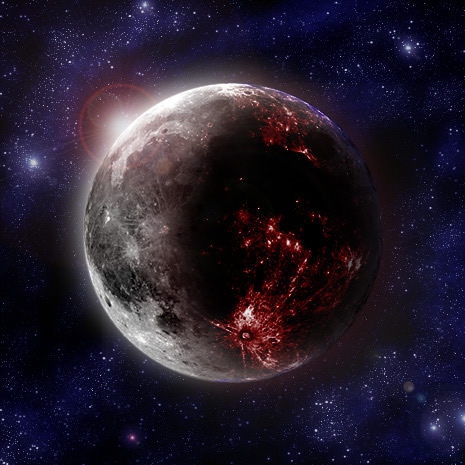
There are some interesting techniques spread across these 25 articles. My favorite was the planetscape one, the finished picture of which is pasted above. The ideas and the execution are quite simple actually, in most of the tutorials so that is an added bonus. Even though the tutorials are fantasy related, I feel that the ideas can be used ubiquitously. Try it out and show us some of your samples.

Tags: Photoshop

Thursday, March 27, 2008

Photoshop Express: Runs In Your Browser

Posted by Suhit Gupta in "Digital Home News" @ 08:00 AM

http://www.photoshop.com/express/landing.html

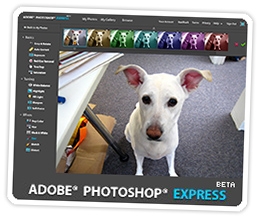
"We all knew this day would come sooner or later, but that doesn’t make it any less exciting, does it? Today, Adobe releases Photoshop Express for the web. Now before you go berserk, let us exercise some journalistic caution — it’s not everything you can do in Photoshop fit into a web browser. Not nearly. No layers here, no fancy pants masking. But for 95% of your photos, it offers pretty much all you need to fix ‘em up, and it does it with style. Whether adjusting exposure, white balance, or hue, touching up blemishes, or distorting your image, Photoshop Express provides an easy slider and thumbnails to give you an instant preview of your image at various settings. Even undo is better than you’d expect. Being on the web, this Photoshop’s made for sharing. Everyone gets their own URL at photoshop.com, and the slideshows are top-notch — big, beautiful images with classy transitions. Want to load in and edit photos from Picasa, Photobucket, or Facebook? No problemo."

I just gave it a whirl and I am not entirely sure I am a huge fan. Maybe I went in with really high expectations. First off, you need Flash Player 9 which requires a browser restart. The interface is a little heavy, I found that it slowed my browser down quite a bit. The options for image editing are understandably quite limited but perhaps too limiting for my taste (although it may just be the UI that I didn't like). While I can see how this will be a useful app, I am not sure whether it makes things easier to edit images in-browser then to save the image on your desktop and open it up with Photoshop or Paint .NET or some such. Try it out and let us know.

Tags: Adobe, Photoshop

Featured Product

The Canon PowerShot S100 - The incredibly fun and small camera that offers you 12.1 megapixels with a bright f/2.0 lens and full 1080p video recording . MORE INFO

News Tip or Feedback?

Contact us

Thoughts Media Sites

Windows Phone Thoughts

Digital Home Thoughts

Zune Thoughts

Apple Thoughts

Laptop Thoughts

Android Thoughts

Reviews & Articles

Loading feed...

News

Loading feed...

Reviews & Articles

Loading feed...

News

Loading feed...

Reviews & Articles

Loading feed...

News

Loading feed...

Reviews & Articles

Loading feed...

News

Loading feed...

Reviews & Articles

Loading feed...

News

Loading feed...


Local Guides

Sponsored links






