


Monday, February 15, 2010
HP's DreamScreen 100: Plagued With Limitations, But Filled With Promise
Posted by Jason Dunn in "Digital Home Hardware & Accessories" @ 07:00 AM
Media Playback: Get Ready for Some Bad News
So how does it do with media playback? It's mostly bad news. I copied a bunch of different media files onto a 16GB Patriot Xporter USB flash drive [Affiliate]; it's a very fast flash drive. The videos files included a 960 x 720 h.264 file, a 352 x 240 MPEG1 file, four different 720p h.264 files, a 1080p WMV file, and a 720 x 480 WMV file. The photo files were all in JPEG format, ranging in resolution from 8 megapixels up to 12 megapixels. The screen is only 800 x 480 in resolution, but given the looks I've seen on the faces of family and friends when I've tried to explain the concept of resolution, I thought it was more realistic to test the frame with full resolution images. The average person is going to copy the photos they have on their computer - they're not going to re-sample them to a lower resolution. Lastly, I copied over two albums in MP3 format.
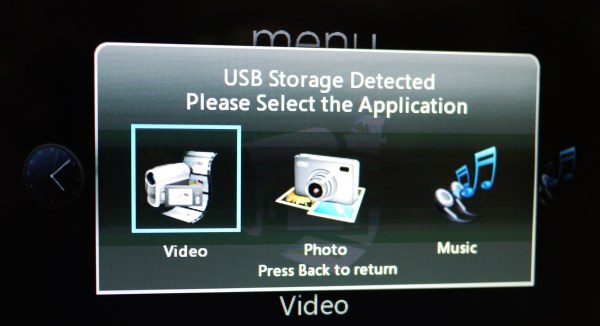
Figure 20: When you connect a USB flash drive, it offers you three different media playback options.
Video Playback
The video support is, in a word, awful; MPEG1, MPEG2, MPEG4 (h.264), and that's it. Support for h.264 matters the most to me, but it's shocking to see a product not support WMV. No support for AVI Divx and Xvid is also a miss - and there are a lot of Quicktime files out there. Worse, it shows files that it can't play - you'll select the file, click play, watch the screen fade to black and stay black for five seconds, then return you to the file view. It also shows you folders with no video files in them - why would I want to see the folder for a music album in the video view? Finally, there's no support for HD resolution files of any type as far as I can tell. All those video files you've been capturing with your Flip HD or HD-capable point and shoot (or DSLR) camera? You can't play any of them on this frame. Of the eight sample videos I had on the USB drive, only one would play; the 352 x 240 MPEG1 file. That's a file I encoded in 2004, six full years ago. The video support in this product is so embarrassingly weak HP shouldn't have included it as a feature until they could get it right. It's really that awful.
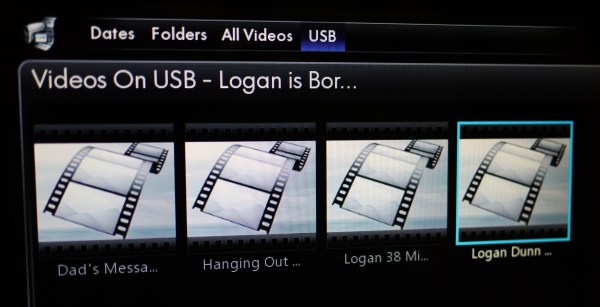
Figure 21: Those are all videos - but the DreamScreen 100 can't play any of them.
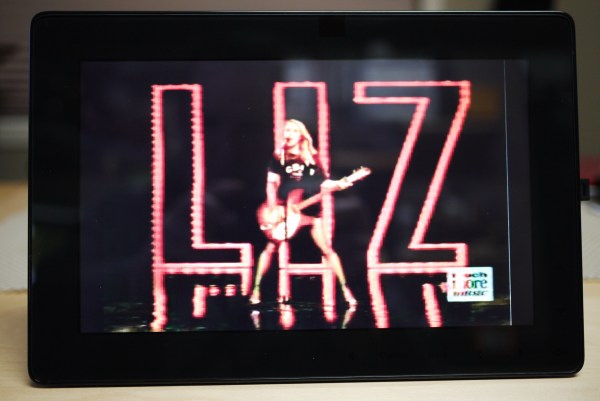
Figure 22: A Liz Phaire video in MPEG1 format encoded in 2004 was the only video that would play.
Photo Playback
Photo support, as you'd expect, is pretty good. Browsing a USB flash drive where images are stored in separate folders is a somewhat lackluster experience; rather than showing you a random thumbnail of a photo inside the folder, it shows you a generic folder icon. Once you get inside the folder, it shows you photo thumbnails (10 per screen), and clicking to the right will load the next screen of thumbnails. It doesn't read ahead to pre-process all the other images in the folder, so when you move to the next 10 photos, you have to watch as it draws the thumbnails. Amazingly, it seems to have no on-board caching mechanism for photos, so when you go back to previous screens you've already been on, you'll watch it re-draw the photo thumbnails. That's a poor user experience.
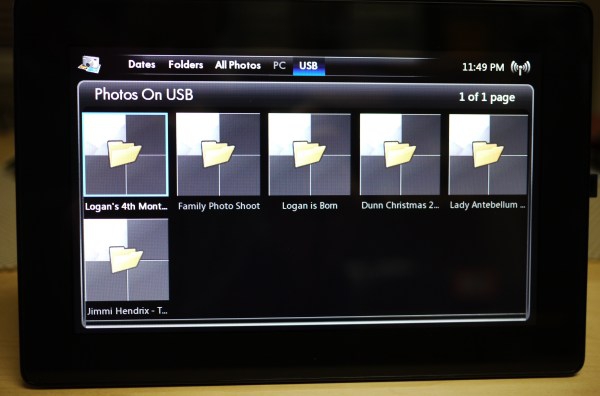
Figure 23: Folders on the USB flash drive are shown without thumbnails.
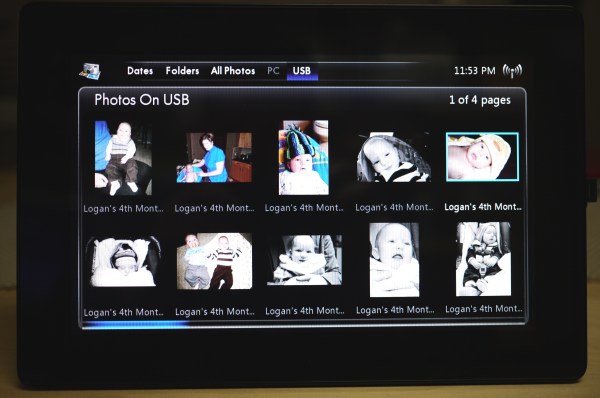
Figure 24: The photo thumbnails are generated 10 at a time, with no caching.
Lastly, when you're looking at one photo full screen - and the screen really does look fantastic - the software isn't reading the next image and loading it into memory. Pressing next to load a 10 megapixel image, it took nine seconds to load. That's not quite "hand on a hot stove" passage of time, but watching that little blue "loading" line for nine seconds is painful. I tried the same set of pictures on a SanDisk Extreme Class 10 SDHC with a 30 MB/s speed rating, and the load time was no different. Desperate to see something less painful, I re-sized the same images down to 800 pixels wide so they were tiny 250 KB JPEGs. The result? Load times of one second from picture to picture - but you still have to watch that little blue loading line as the next one loads. The lack of read-ahead caching kills this aspect of the product.
One feature I liked in the pictures application was the date sort function - it allows you to view pictures taken today, the last seven days, the last 30 days, the current month, or the previous year. Once you get a DreamScreen loaded up with photos, having this method of viewing your pictures makes this much easier.









