Monday, May 25, 2009
The Digital Wall Project: An Epic Tale
Posted by Jason Dunn in "Digital Home Talk" @ 07:00 AM
Stage 6: I Do My Thing
I spend quite a bit of time researching the best equipment to get, so by the time it came time to purchased I knew what I wanted. I was such a fan of the AudioEngine A5 speakers when I reviewed them that it was a no-brainer to use them for the digital wall - in black, naturally. Not having to fuss with an amplifier was what tipped me in favour of the AudioEngine speakers over the Orb Audio speakers. One of my requirements was that the speakers have two audio inputs: one for the networked media player I'd be connecting, and one for the computer I'd be connecting. Why two? Having to fire up a plasma TV to start Windows Media Player on the computer to listen to music seemed more than a little silly. The inputs on the A5 speakers are plain old 3.5mm jacks, so I was going analog all the way. Sure, a SPDIF input would have been nice, but I have zero complaints about the quality of the audio.
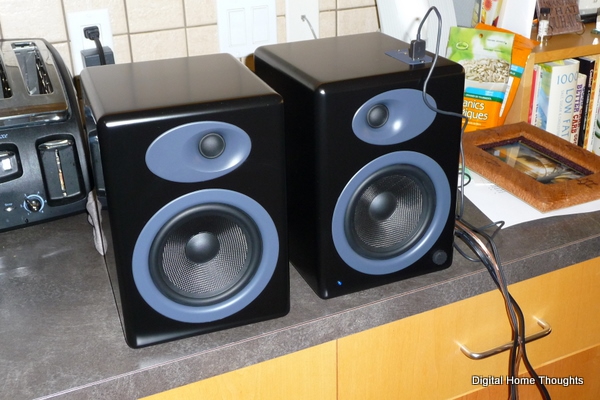
Figure 18: The great-looking and great-sounding AudioEngine A5 powered speakers. The flash on the camera made the grey look lighter than it really is. They look almost completely black.
I wanted a sub-woofer to go alongside the A5 speakers, so my natural choice was the AudioEngine A8 sub-woofer. It was a bit pricey at $350 CAD, but after purchasing it I tested it with a variety of music and it sounded superb. Tight, thumping bass with nary any distortion - until I removed the legs. The tall, pointed plastic legs (see Figure 19) screwed into the bottom of the sub-woofer, but in doing so it made the unit too tall to fit under my bottom shelf. That's right: with all my measuring, I neglected to measure the space required for the sub-woofer. I didn't purchase it until after the shelves were up, so I didn't put much thought into that part of the project. The A8 sub-woofer is down-firing, so I needed a certain amount of clearance between the floor and the speaker. I tried finding substitute legs, but struck out - and the screw-holes needed to be air-tight or the sub-woofer would start to rattle. You know those "fuzzy feet" you put on the underside of your chairs if you have hardwood floors? I put one over each screw hole, which made the holes air tight, and stacked several more on top to raise the sub-woofer off the ground. It's not pretty, but it works, and you'd have to be laying on the ground to see how silly they look. Problem solved!
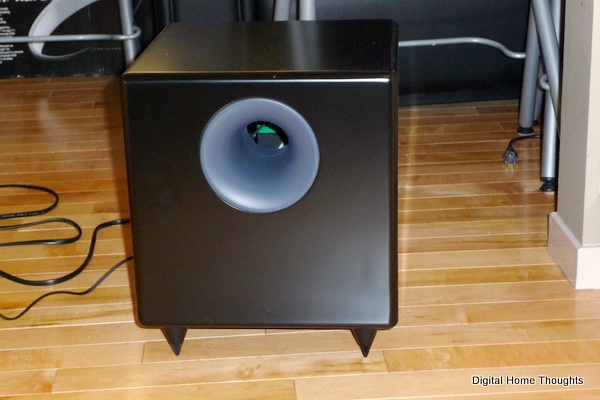
Figure 19: The AudioEngine A8 sub-woofer. Little did I know those pointy plastic legs were making dents in my hardwood floor.
When it came to picking what would power the whole thing, I entertained a few different options - a Media Center Extender, a Blu-ray DVD player, a networked media player, etc. At one point I was looking at an HP TV that had the Media Center Extender software built-in - but I knew that I wanted to have a Web browser as well. I ended up going for the slightly less elegant solution, but all in all a much more powerful one: a full-fledged PC. I initially purchased a Dell Studio Hybrid computer, but after two different units (the second with a very fast CPU) and weeks of testing, it came down to one thing: the Studio Hybrid computer simply didn't have the GPU power I needed to have a fast and fluid experience using Windows Media Center. I tried every tweak and hack there was to try and improve the performance of the machine, but in the end the Intel GMA 4500 GPU simply wasn't up to the task. Everything else about the Dell Studio Hybrid was perfect - the size, the silence, the design - but the graphics performance sucked.
I opted instead for an HP Slimline computer purchased from my local Best Buy. For only $100 more than what I paid for the Dell Studio Hybrid, I went from a two-core Intel CPU to a four-core AMD CPU, doubled the RAM (4 GB), doubled the hard drive (500 GB), added a combo Blu-ray/HD-DVD player, and most importantly, I had an NVIDIA 9500 GS graphics card with 512 MB RAM and HDMI out powering the whole thing. Windows Media Center was a smooth as butta'! What I gave up by going with the HP Slimline was size - it's taller than I wanted it to be - and it's nowhere near as silent as the Dell Studio Hybrid. It's not loud, but it's not completely silent either.
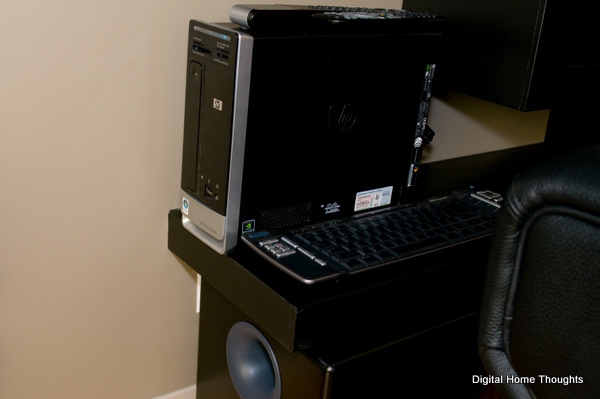
Figure 20: The HP Slimline computer that powers the whole experience. I use an infrared "Microsoft Remote Keyboard for Windows XP Media Center Edition v.1.0" (I kid you not, that's the product name) as both the keyboard and mouse.
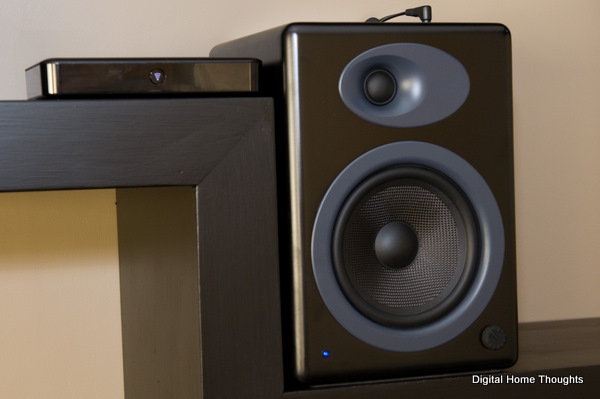
Figure 21: On the left, the Logitech Squeezebox. On the right, the AudioEngine A5 speaker. I need to find a right-angle 3.5mm jack cable that lays flatter.
My previous method of playing audio was my much-loved Roku Soundbridge M2000, a product that has now been discontinued. It worked amazingly well, and was completely reliable, but it was too large to fit on the shelf alongside the AudioEngine A5 speaker on the right-hand shelf. I needed a new solution. After looking at several options, I landed on the Logitech Squeezebox Duet. It was very small, and the idea of having the LCD screen in the remote control seemed like a slick idea. My review of this product is forthcoming, but in a nutshell the Squeezebox Duet is an amazingly powerful, but often-times quirky player that made me crave the simplicity and reliability of the Roku M2000. The Squeezebox delivers great-sounding audio however, and after getting it configured it's working really well. Or it was until I swapped out my Linksys WRT54G router for a Linksys WRT610N - it's done a few funky things since then, even though it's connected to the 802.11g network rather than the 802.11n network. I've had to do three factory resets because the remote gets into a weird state where it looks like it's fully connected, but it won't play any music. Look for more details in my review - when the Squeezebox works, which is most of the time, it works really well...but when it doesn't work, it's a little frustrating.