


Tuesday, June 5, 2012
Adobe Photoshop Lightroom 4 Review
Posted by Lee Yuan Sheng in "Digital Home Software" @ 08:00 AM
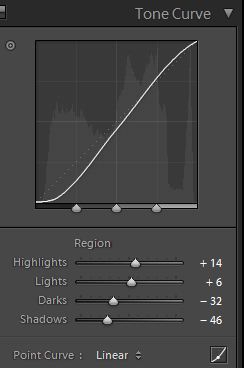
Figure 16: Tone Curves adjustments.
I am using the default Lightroom method of adjusting the regions in the curve (which does prevent all kinds of funny things from happening), but I still can edit the entire curve manually by clicking on the button in the bottom right corner if I so wish. There is a neat trick here: by clicking on the dot next to the graph, the curve can be manipulated by clicking on the area in the image and dragging up and down.
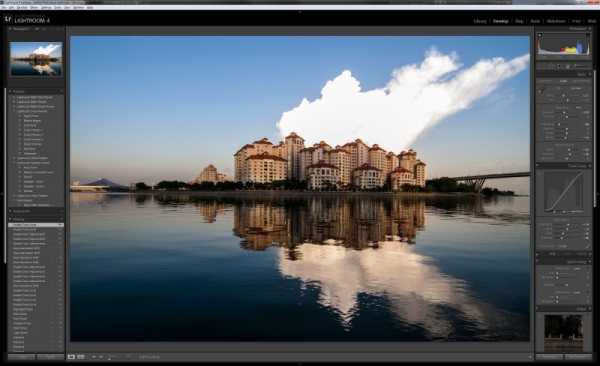
Figure 17: Less flat now.
I have always been fond of blue skies, so I will increase the blues a bit further in the Hue/Saturation/Luminance adjustments.
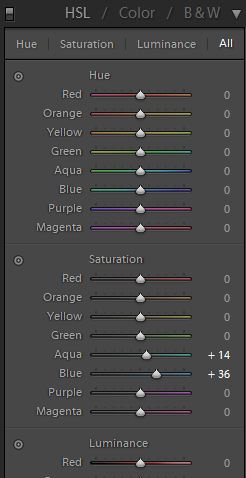
Figure 18: HSL adjustments.
Note there is also a B&W section, which is a really nice feature for those into B&W photography. Since I am not into that, I just adjust the colours. The neat trick I mentioned in the Tone Curves part is also present here; just click on the dot next to the Hue, Saturation or Lightness to activate it.
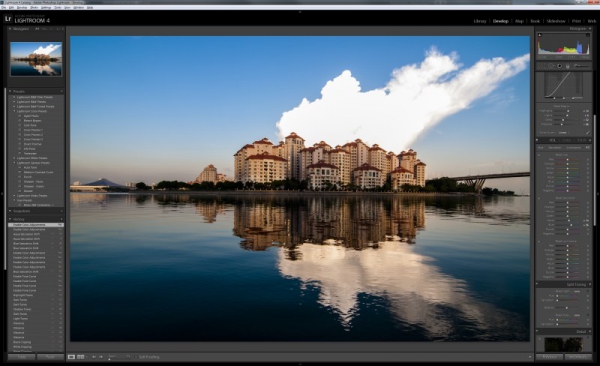
Figure 19: Mmm, blue.









