Tuesday, September 28, 2010
Photo Book Luxury: Picaboo's Ranch Style Book Reviewed
Posted by Jason Dunn in "Digital Home Printing" @ 07:00 AM
Building the Book
I was able to proceed to the next step after my images were imported. Strangely, I noticed that it wasn't showing me the photos in the proper order; they were mixed up. All the photos were numbered sequentially, and the time stamps were also still correct. Puzzling!
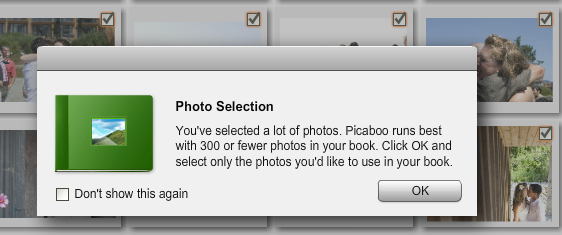
Figure 6: Adding photos to the book.
I selected all the photos and clicked Next...only to be told via a pop-up window that Picaboo X runs best with 300 photos or less selected. It let me proceed, however, which was nice — I thought it was going to force me to select only 300 of the 524 photos. I wasn't planning on putting all 524 photos into the book, but I wanted to have the option of selecting the best photos as I went along building the book rather than doing a pre-selection process.
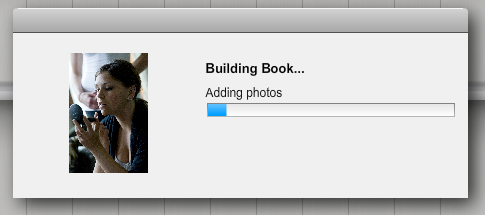
Figure 7: This part can take a long time depending on the CPU speed on your computer.
Just for fun I tried the "Auto Create Using StoryFlow" option, which would build the book for me. I groaned when I saw it taking about two seconds per picture...this was going to take a long time. There's no way to cancel the process though, which forced me to kill the entire application. That's just bad programming; there should always be a way for the customer to cancel a process.
After re-starting the application, I selected the "From Scratch" book building option. I was dismayed to see it kick off the same process as the Auto Create function — adding each photo, one at a time, taking two seconds per photo. Evidently I should have been building this book on my overclocked 3.5 Ghz Intel Core i7 computer. It would be great if Picaboo X would process the images faster...and it would do exactly that if it were multi-core enabled. I hate seeing software that doesn't take advantage of modern hardware.
To be thorough, I tested a different set of photos on a different computer, and on a system with Core 2 Duo Extreme clocked at 2.93 Ghz, it took about one second per image. If I were building a book with 300 images, that would be roughly five minutes of waiting. I've never seen book building software that makes the user wait so much; Picaboo needs to figure out how to make this software faster, because it's definitely not the norm for the industry.