


Friday, March 20, 2009
Adobe Lightroom 2 Delivers A Great Raw Photo Workflow
Posted by Jason Dunn in "Digital Home Software" @ 07:00 AM
The Lightroom Modules: Your Raw Workflow (Continued)
These last three modules are ones that I don't have much personal experience working with - I tend to spend all my time in Lightroom on the Library and Development modules - so my explanations of these modules will be somewhat limited.
The Slideshow Module
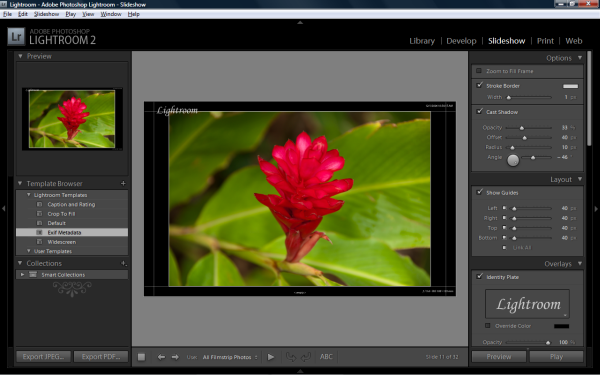
Figure 12: The Slideshow module.
The Slideshow module is really aimed at professionals, mostly event and wedding photographers, who need to quickly show clients their photos. You can create customized layouts, changing the background colour or even making it an image. Music can be played along with the slideshow, and while the images are displayed full screen, pressing the numbers one through five will give a star rating to the image - so it's a great way to rate your images, or have your client rate the image. It's a very focused, quick way to do slideshows. If you want something fancier, ProShow Gold is a good choice.
The Print Module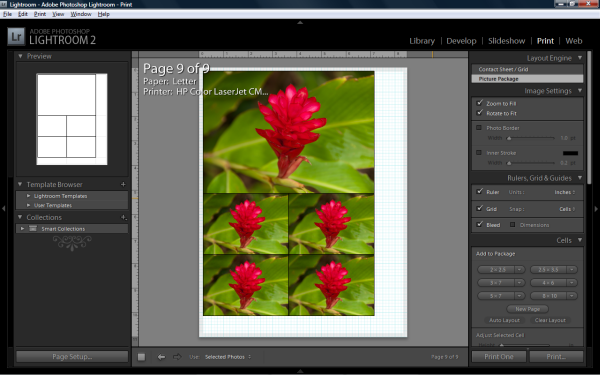
Figure 13: The Print module.
You can guess what this module does - it allows you to do all sorts of custom prints. With a couple of clicks you can have contact sheets printed, complete with customization. If you're looking do to prints yourself, this can be a valuable tool to save paper - you can print virtually any combination of sizes.
The Web Module
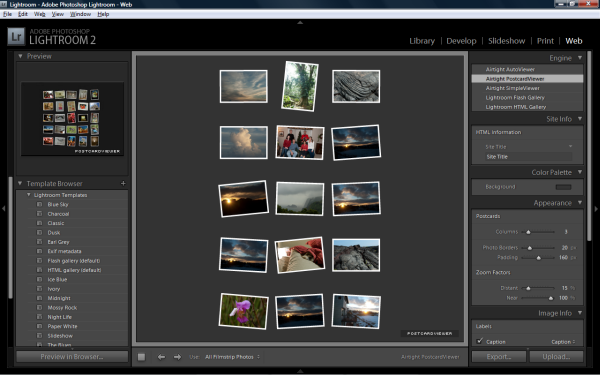
Figure 14: The Web module.
Because I've chosen to use Smugmug for my photo hosting/sharing/online printing, I have no need of this part of Lightroom - but if you have a Web hosting account where you can upload HTML files and images, you can use Lightroom to create a broad array of online image albums. Lightroom comes with 17 templates for different types of albums, and there are free templates available online to expand your selection. The usual customizations are available here, but it's important to understand that while Lightroom will crank out albums, there's no automatic way to link multiple albums together, so this isn't a great tool for creating a whole photo site. It's more of an "I just shot this event, here's where you'll see the photos from it" type of solution. It does have integrated FTP uploading, which is a nice touch. I've created a sample output album for you to check out, creating using the Airtight Autoviewer preset.









