


Wednesday, May 7, 2008
A Different Viewpoint: The SanDisk Sansa View
Posted by Doug Raeburn in "Digital Home Hardware & Accessories" @ 02:00 AM
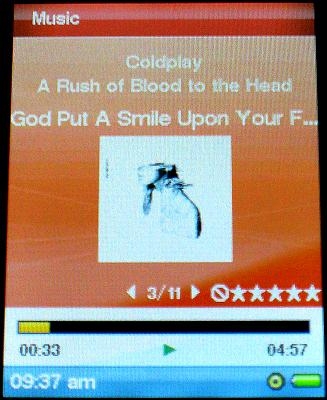
Figure 13: No surprises on the "Now Playing" screen...
Everything you’d expect is displayed when a song is playing. The display includes the album cover, album name, song name, track number, total tracks for album, current song time and total song time. Names that are too long for display will scroll to display the entire name.
Pressing the action button repeatedly will display, in sequence, an output graph, a large view of the album art and the next song to play. Rotating the wheel during play will change the volume. Previous/Next is accomplished via pressing the wheel left or right, while holding the wheel left or right will move backward or forward quickly through the song.
One issue with the display is the use of white text in this view. It has poor contrast with the default light blue background and can’t be changed. I did find that the darker Sunset wallpaper improved the contrast. That’s the background used in my screen shots here.
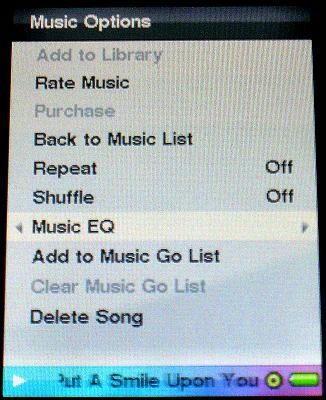
Figure 14: "Now Playing" options.
In-play menu options are accessed by pressing the bottom of the wheel. From this menu, you can set repeat and shuffle options, adjust the graphic equalizer, rate a song and add to your to-go list (a portable playlist). The View also allows deleting songs on the fly, a feature not found on the E200.
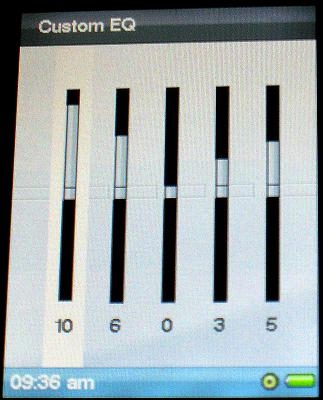
Figure 15: A custom equalizer helps to fine-tune the sound.
Graphic equalizer preset choices are sparse compared to the Nano. If you can’t find a preset that suits you, a custom setting is provided.
The View can synch with many popular player applications, including Windows Media Player, Rhapsody and Media Monkey, among others. Playlists created with these applications are also synchronized.
The View supports a wide range of music formats, such as .wmv, .mp3, and .wav. I typically use 128-bit .wmv and .m4a files and I found both to provide clear and crisp highs, solid midrange and good lows. To my ears, the View’s sound quality is on a par with the Nano, which I consider high praise. A couple of caveats: this assumes that you’re using decent quality ear buds or headphones (not the crappy ones included); and while I’m fairly fussy about sound quality, I’m not an expert, so YMMV.









