Digital Home Thoughts - News & Reviews for the Digital Home

Be sure to register in our forums and post your comments - we want to hear from you!


Zune Thoughts

Loading feed...

Apple Thoughts

Loading feed...

Laptop Thoughts

Loading feed...


All posts tagged "bios"


Wednesday, January 5, 2011

The BIOS As You Knew It Is Finally Dying

Posted by Jason Dunn in "Digital Home Hardware & Accessories" @ 05:00 PM

If you're a power user who has ever done overclocking, you've no doubt spent hours in your system BIOS tweaking settings and reminiscing on the early '90s when we were still using DOS. The computer BIOS hasn't significantly changed in well over a decade - some might say two decades - but, finally, the old BIOS as you knew it is dead. Long live UEFI!

Tags: hardware, video, efi, bios, uefi

Friday, February 19, 2010

No More Morning Coffee While Your Computer Boots

Posted by Hooch Tan in "Digital Home News" @ 11:00 AM

http://www.maximumpc.com/article/fe...b30_second_boot

"Microsoft’s claim that Windows 7 could boot (from the BIOS) in 11 seconds first gave us the hope that such idle time might be lessened dramatically, but being Maximum PC we wanted to take the idea even further. We sought to not only replicate Microsoft’s claim, but to see how much time we could shave prior to the OS loading, with a combination of hardware and BIOS tweaks."
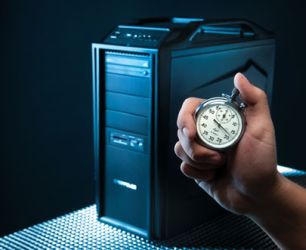
A faster boot time is an admirable goal, and yes, most modern OSes do boot much faster. That is partially due to optimizations, but also due to faster hardware. Maximum PC tries a variety of tweaks, both in the BIOS and in Windows 7 to get to the desktop as quickly as possible. All the effort is great, but I am not sure if it really applies in the real world. Most brand new computers I come across boot in wicked fast times, only to turn into incredible sloths six months later as it is burdened with 50 toolbars, 25 memory resident updaters and less than 20MB free. Aside from the regular suggestions of using standby, the best way to have a computer that says how high when you say jump is regular maintenance. Clean out things you do not need or use. Defragment the hard drive (unless you have an SSD) on a regular basis and have it optimize the placement of files. And never completely fill up your hard drive. Those are the best general performance tips I know of. Anyone have their own tricks of the trade?



Featured Product

The Canon PowerShot S100 - The incredibly fun and small camera that offers you 12.1 megapixels with a bright f/2.0 lens and full 1080p video recording . MORE INFO

News Tip or Feedback?

Contact us

Thoughts Media Sites

Windows Phone Thoughts

Digital Home Thoughts

Zune Thoughts

Apple Thoughts

Laptop Thoughts

Android Thoughts

Reviews & Articles

Loading feed...

News

Loading feed...

Reviews & Articles

Loading feed...

News

Loading feed...

Reviews & Articles

Loading feed...

News

Loading feed...

Reviews & Articles

Loading feed...

News

Loading feed...

Reviews & Articles

Loading feed...

News

Loading feed...







