Wednesday, June 23, 2010
Blu-Ray 3D on Your Laptop with PowerDVD 10?
Posted by Don Tolson in "Digital Home Software" @ 08:00 AM
Playing DVDs
If you defined PowerDVD as the default application to play DVDs and/or video, the program will open up directly in player mode after it has detected a DVD in the drive.
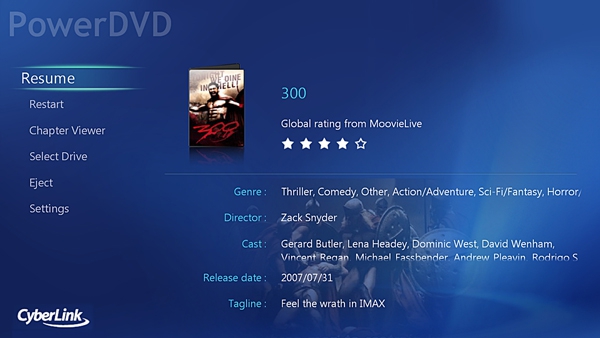
Figure 4: Here's the main player mode screen, when you start up a movie. Depending upon the mode the original movie was filmed in, the image will be stretched (horizontally) to fill the available screen area.
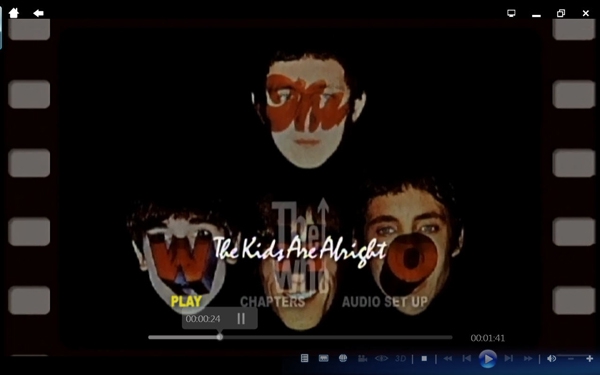
Figure 5: Here's what the interface looks like when you are actually playing a movie. Notice the controls are located in the bottom right of the screen. The ones to the left of the Stop button provide access to the Settings, More Functions, 'standard' vs cinema mode switch, TrueTheater settings and 3D options.
One of the options provided by PowerDVD is Cinema mode. It's a selectable option from the Settings option, and PowerDVD warns you that it may not be appropriate for all displays. It's primarily designed for use with a remote and viewing the screen from a distance. I personally haven't seen a lot of PCs with screens THAT big and coming with a remote...Maybe our stores just don't stock those :-). Both the screens above and the one below are examples from cinema mode.
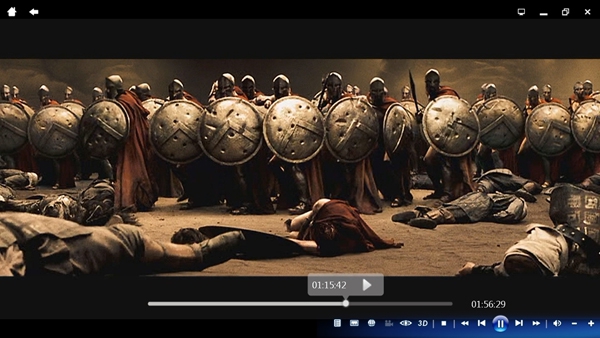
Figure 6: Here's another shot of the player in full-screen cinema mode. This is, of course, displaying letterbox mode, but you can select other display modes from the Settings menu. The two icons to the left of the Stop one at the bottom are for the TrueTheater settings (the 'eye') and 3D settings.
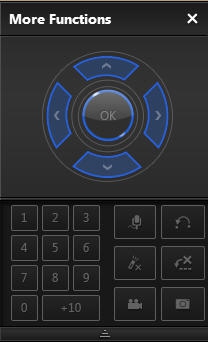
Figure 7: If you select the 'More Functions' icon from the control list, this floating window is displayed, which provides more of a 'remote control' interface to the functions.
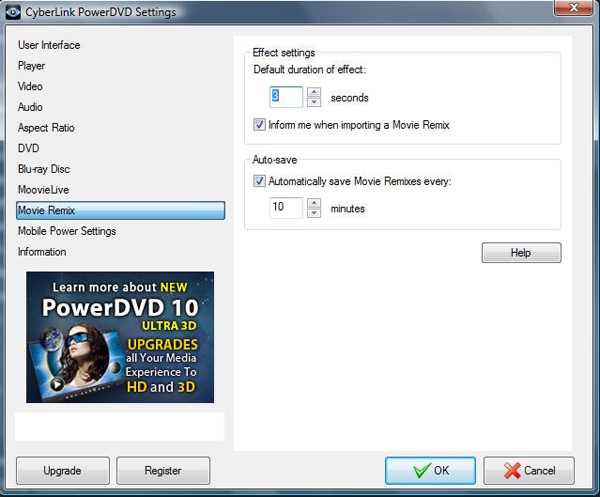
Figure 8: Here's an example of the Settings screen as it is displayed in 'normal' mode. There are also settings available from within the Cinema Mode which are more remote friendly, but they are a subset of what's available here.