


Tuesday, August 7, 2007
Canon's HV20: A High-Definition, Vista-Certified Delight
Posted by Jason Dunn in "HARDWARE" @ 07:00 AM
Exploring the Camera's Features
Looking at the camera itself, it's hard to believe they packed so many impressive features in something so small. The camera feels great in my hands, and is nicely balanced. Since this isn't Camcorderinfo.com I'm not going to go into great detail regarding the features on this camera - this review focuses more on the experience of using the camera with Windows Vista. More on that later, but for now here's an exploration of the HV20 in a series of photos.
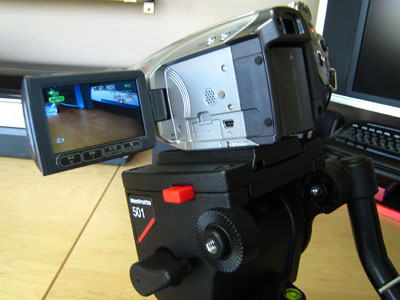
Figure 1: A side view of the HV20 mounted on my video tripod. The HV20 is so small it made me feel a bit silly using it at an event, but it fit just fine on the Manfrotto head.
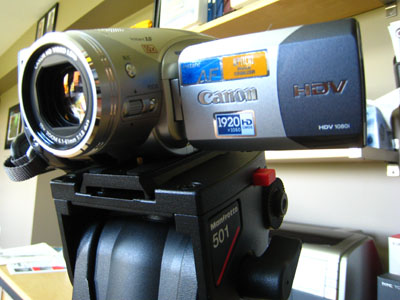
Figure 2: A front view - the camera looks great, though it has a few too many marketing bragging points on it for my liking - do I really need to see the words "Instant AF" and "CMOS" on it? Button labels are necessary, most of the other text is not.
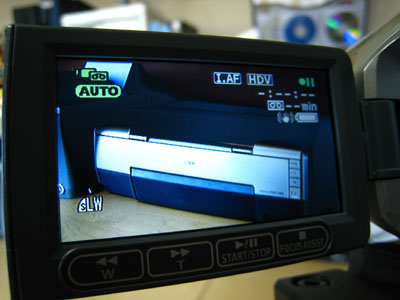
Figure 3: The 2.7 inch wide screen LCD screen packs 211,000 pixels, so it's highly usable and bright enough to be clear outdoors. The brightness is adjustable, and it even includes a greyscale ramp so you can make sure you're not running the LCD screen so bright that you won't be able to pick out greyscale shades (this doesn't impact the actual video capture however).
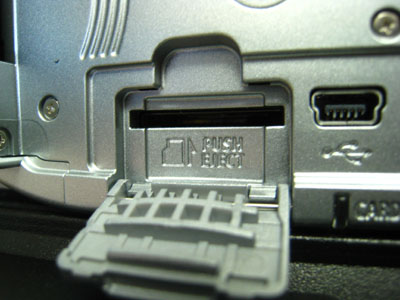
Figure 4: The miniSD slot - I'm surprised they didn't go with either SD or microSD. miniSD is the red-headed stepchild of the SD family.
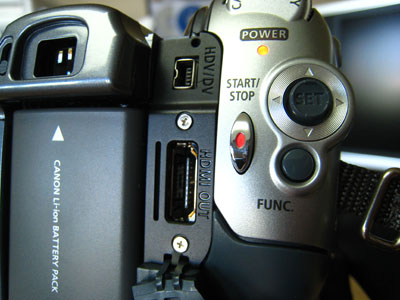
Figure 5: Shown here are the basic capture controls, the power indicator, the HDV/DV port (Firewire), the HDMI out port, the Function button which brings up the menu, and the control pad which allows you to navigate the menu.
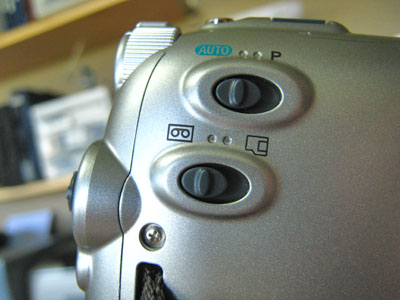
Figure 6: This is the right-rear side of the camera - it has the AUTO/P switch which allows you to switch between full auto mode and the programmed mode. The programmed mode allows you to select presets such as portrait, snow, sports, etc. Each preset will alter the aperture and shutter speed. Below that is the tape/memory card switch, which controls where photos are stored.
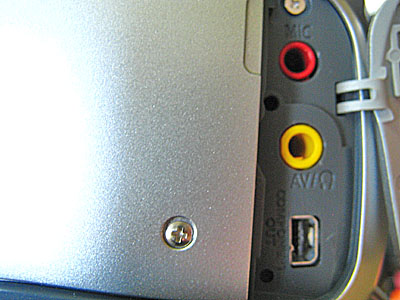
Figure 7: The right-front of the HV20 has an input for an external microphone, the AV output/headphone jack, and the component out.









