Friday, November 2, 2007
Windows Consumer Experience Event in New York City
Posted by Jason Dunn in "EVENT" @ 08:51 AM
Windows Live Photo Gallery
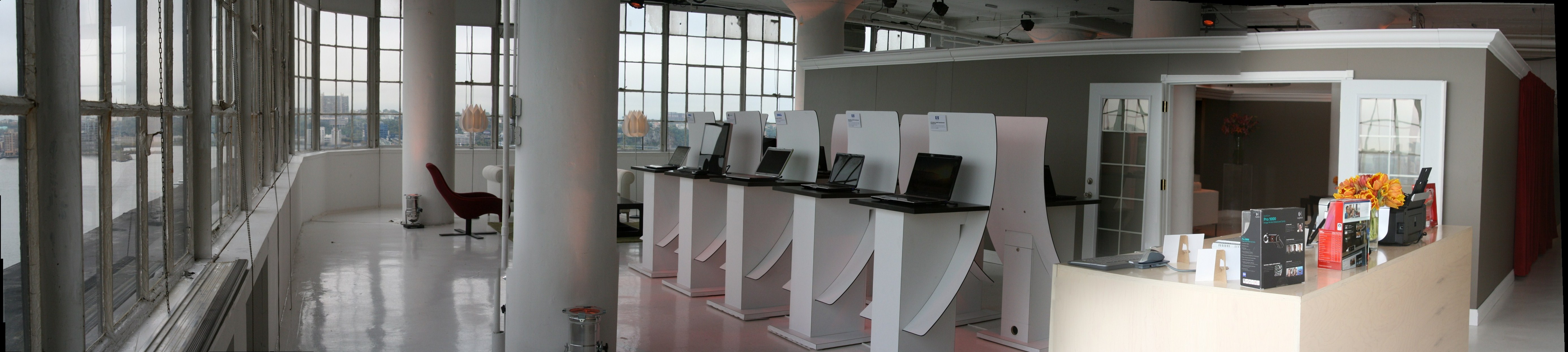
Aaron started of by demonstrating Windows Live Photo Gallery, which is currently in beta. Having had a relatively recent negative experience with a beta of Windows Live Mail that still has my Messenger contact list badly screwed up, I hadn't tested Windows Live Photo Gallery, so much of what Aaron showed me about the product was new. If you have Windows Vista, you already have Photo Gallery. This is a program that installs itself overtop of Windows Gallery, essentially giving it the "Live" juice (added features, many of them online-based). Features include histogram display, better adjustments to fix photos, and a panoramic stitching function. Creating a panoramic image is quick and easy, but I noticed there wasn't any preview for the user - so I guess that means the results are either good or bad, with no in-between. Terri Stratton, one of the people that helped coordinate my attendance at this event, took a few photos and used this panoramic stitching function to create the following image (960 KB) - looks good to me! The program continues to support restoring changes to files, allowing you to roll back changes at any time - but Aaron didn't know where the files are stored. I was curious about this because one of my pet peeves with Picasa is how it stores edited images inside a hidden folder, which usually ends up getting exposed in some way.
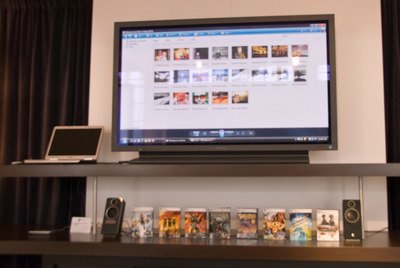
Figure 5: A big, glorious LCD TV was the focal point for demonstrations.
One of my frustrations with Photo Gallery is that 10 months after Vista's release in Canada, there still aren't any online photo printing companies available in Canada. If you're in the US, there are many partners to choose from - but zero in Canada. It's like someone at Microsoft thought online printing would be a good feature to have, but they only focused on the US. It's frustrating and insulting to the user - and unfortunately Windows Live Photo Gallery has exactly the same problem, which is disappointing. Why even show that menu item to the user if they can't use it? Aaron had no answer to my question as to when other countries would be able to order online prints. If your country still isn't supported, I'd encourage you to drop the team an email and let them know. This feature is particularly vital for inexperienced users who are intimidated by browser-based uploads.
A great new feature that Windows Live Photo Gallery has is the ability to publish photos quickly to an online gallery - right now only Windows Live Spaces and Flickr are supported, but they're looking at adding new services. I'd vote for Smugmug of course, but more than two services should definitely be supported. I think the team did a great thing by supporting more than just the Microsoft option - it shows commitment to users that they'd support Flickr. The feature looks quite well thought-out, and there are more details, and a video, on the Windows Live Photo Gallery team blog. If you put your images up into Windows Live Spaces, there's a plug-in to have them appear in your Facebook account as well. I asked about restrictions on resolution uploads, and unfortunately there aren't any - when you upload to your Spaces account, people will see the full-resolution image. Some people might not mind that, but I never want to give away the full-resolution image: it's really the only proof that you're the one that took the photograph. And speaking of image sizes, Windows Live Photo Gallery still can't resize images - it's such a basic function, it's bizarre they don't support that option yet.
Photo Mail is a cool function I hadn't seen before: it's basically HTML email with embedded photo images, but when you select the images and create a photo mail message, you can do things like change the edge effect on the image (spotlight, brushed edges, wood frame, etc.), auto-correct the image, make it black and white, and control the size (quality) of the images you're sending (here's what Photo Mail looks like). The images don't appear to be attached to the actual email though - they link to a private Spaces slideshow where the user can go to and see the high-resolution images with transitions. That's cool!
What's not cool is that the private slideshow will eventually expire, so when grandma and grandpa want to watch a slideshow of photos you sent them last year, it may or may not be there. Permanence (or as permanent as possible in the online sense of the word) is important in the digital age, so I find Microsoft's approach a bit curious with this. Another down side is that Photo Mail only works if you're using Windows Live Mail client - if you're using any other email client (Outlook, Windows Mail, Gmail, etc.), Windows Live Photo Gallery will just attach the images. A nice middle ground would be creating HTML email with embedded photos like Picasa does. But if you're using Windows Live Mail, Photo Mail is a cool feature that you'll enjoy.